Boards
A board is a Monday-style view of your work — manual projects you track yourself alongside items synced from your connected tools, organized into groups with status pills.
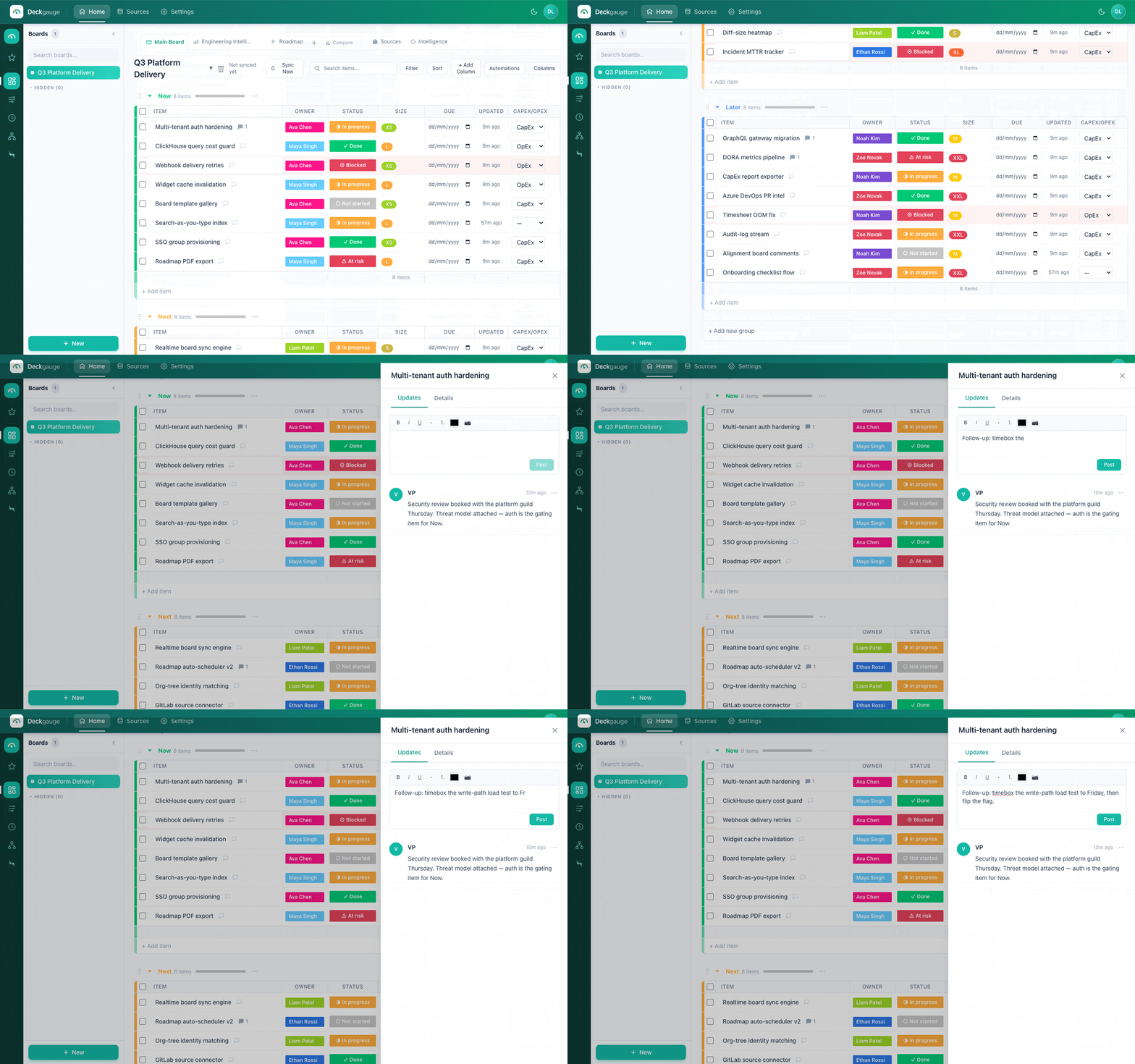
Groups, status pills, owners, and a synced Jira group.
Groups and rows
Each board has groups, and each group holds rows. Manual projects live in the groups you create; synced items appear in their own groups (one per Jira project, GitHub repo, etc.) on any board where that source is attached.
Statuses
Boards use custom statuses — you define the set, their colors, and order per board. A colored status pill shows on every row. When a source is attached, you map its native statuses (e.g. Jira's "In Review") to your board statuses in the Sources tab's status-mapping editor.
Columns
Show the fields you care about. Beyond the built-ins (owner, status, updated), add custom columns and reorder them with the column manager; the layout is saved per board.
Drag-and-drop
Reorder rows and move them between groups by dragging. Sidebar items (boards, roadmaps, org trees) are draggable too, so you can arrange your workspace.
Item detail & comments
Click any row to open its detail panel — edit name, owner, status, description, and custom fields. Each item supports threaded comments with @-mentions; the board shows a comment count per row.
Manual vs synced items
| Manual projects | Synced items | |
|---|---|---|
| Created by | You | Pulled from a connected source |
| Editable | Fully | Read-only mirror (links back to the source) |
| Fields | Any columns you add | Key, summary, status, assignee, updated-at |
| Grouping | Your groups | One group per project/repo |